McSchneider Design Studios

Watchtower
TV & Movie Tracker
Keep every show and movie you're watching in one place — then see what your friends are watching, react to it, and talk about it. Watchtower tells you what airs tonight, what's coming back, and where to stream it.
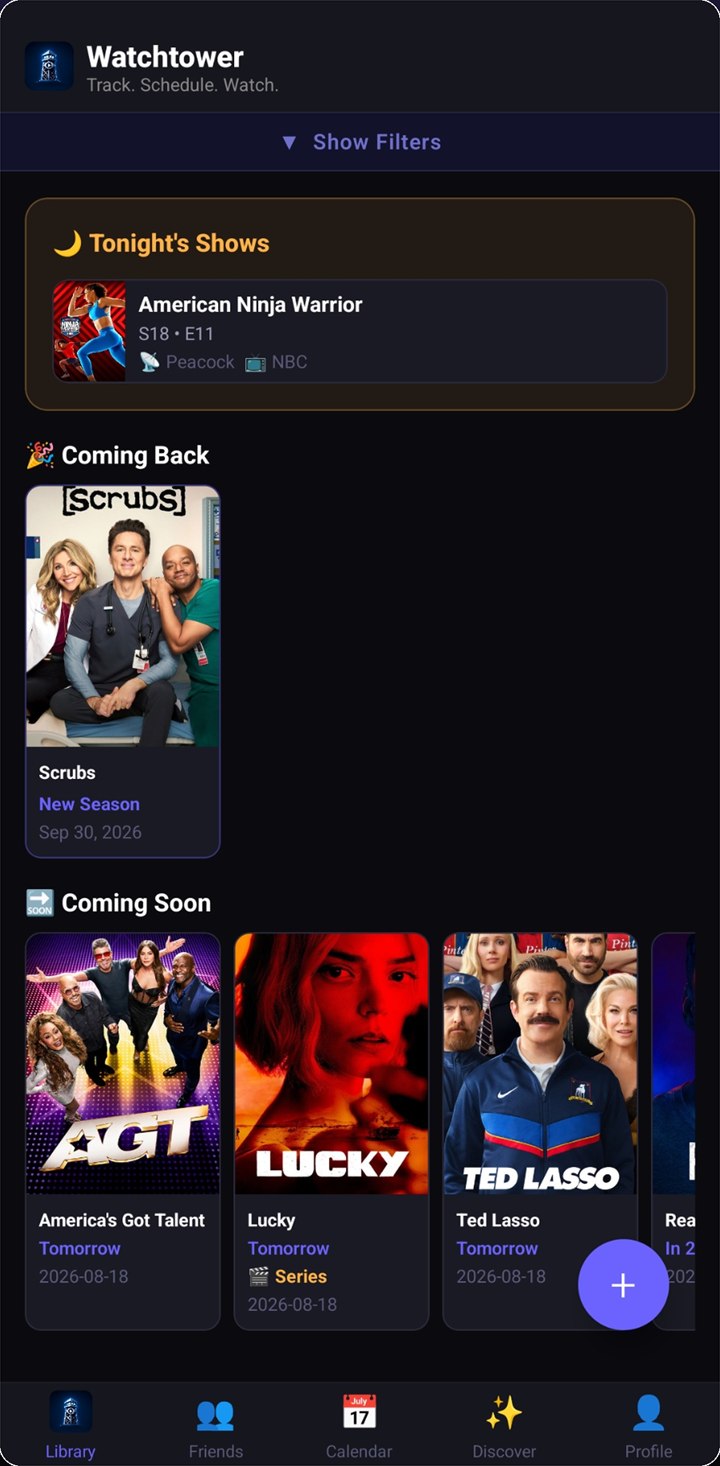
Never lose track of where you left off
A queue of the exact episode you're up to on every show you're partway through — backed by your whole library in one list, filtered down to what you want to see, next to a calendar that tells you when the next one lands.
Tonight's shows, up front
Open the app and the first thing you see is what airs today — episode number, network, and streaming service included.
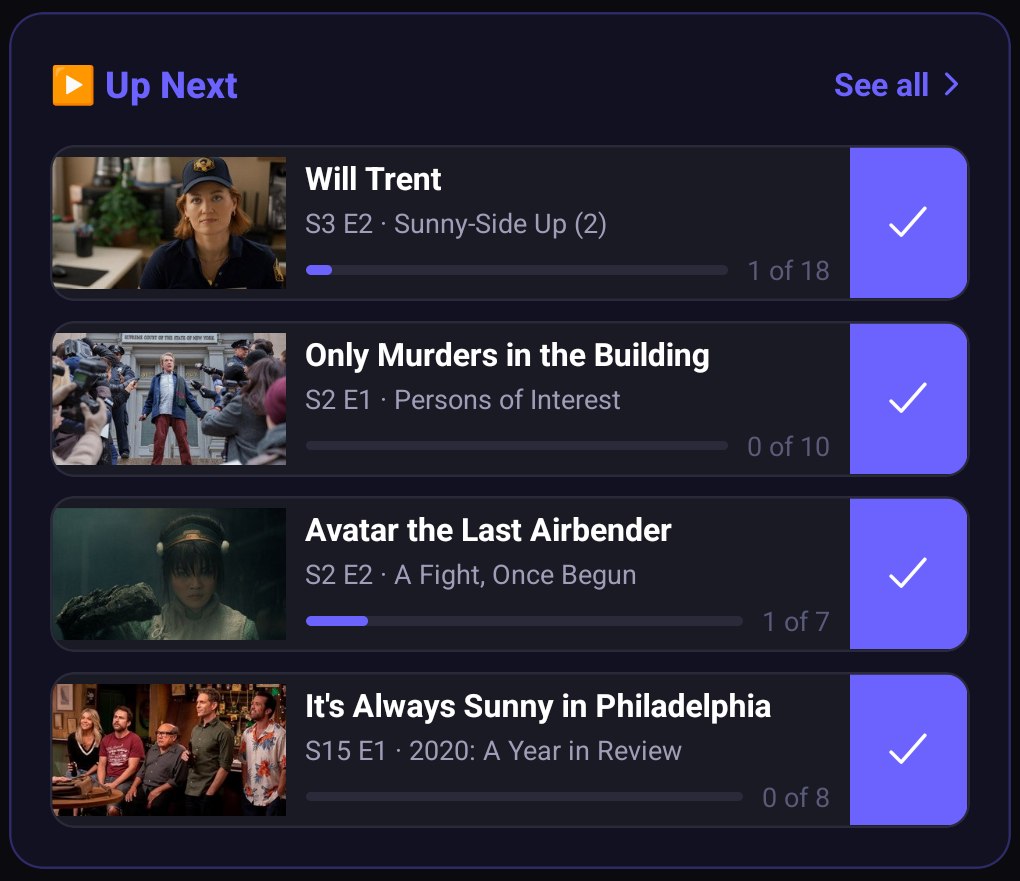
A queue of what to watch next
Every show you're partway through, lined up with the exact episode you're up to and how far into the season that leaves you. Tap the check to log it and the next episode takes its place; "See all" opens the rest of the queue.
Filter down to what you're after
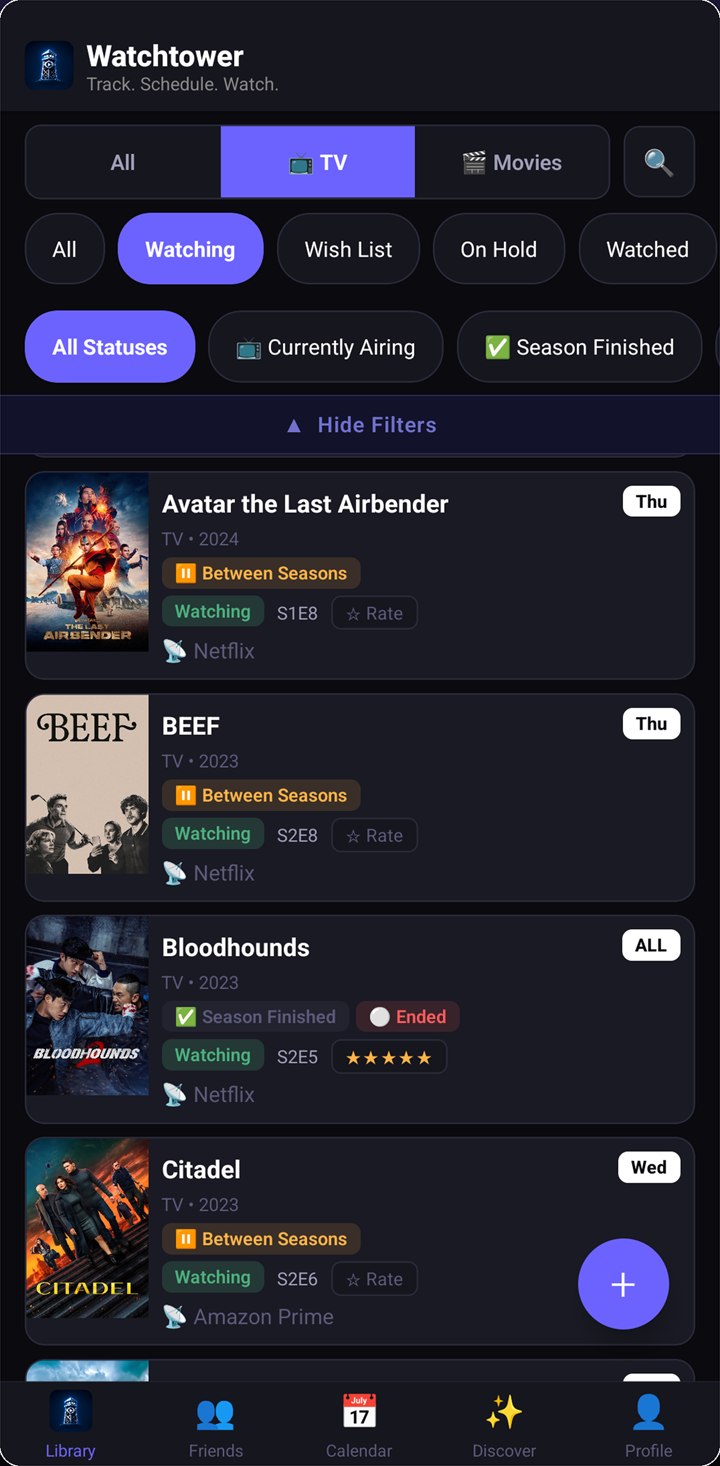
Narrow to TV or movies, then to what you're watching, wish-listing, holding, or have finished — then again by whether a show is currently airing, between seasons, or wrapped up for good.
Order it however you think about it
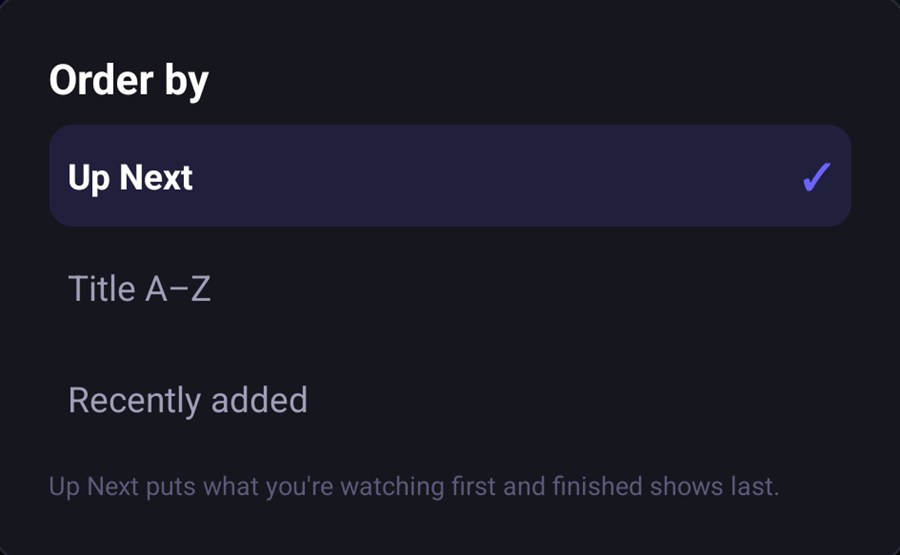
Order the whole library the way the queue does — what you're watching first, finished shows last — or fall back to plain A–Z or whatever you added most recently.
Every row says where you are
The episode you're up to, the day of the week it airs, and the service it's on — without opening anything.
Status at a glance
Tags call out the shows that are between seasons, have finished a season, or have ended for good, so you know what's actually worth waiting on.
Countdowns and comebacks
"Coming Soon" counts down the next episode of everything you follow. "Coming Back" tells you when a show you've been waiting on returns.
The week ahead
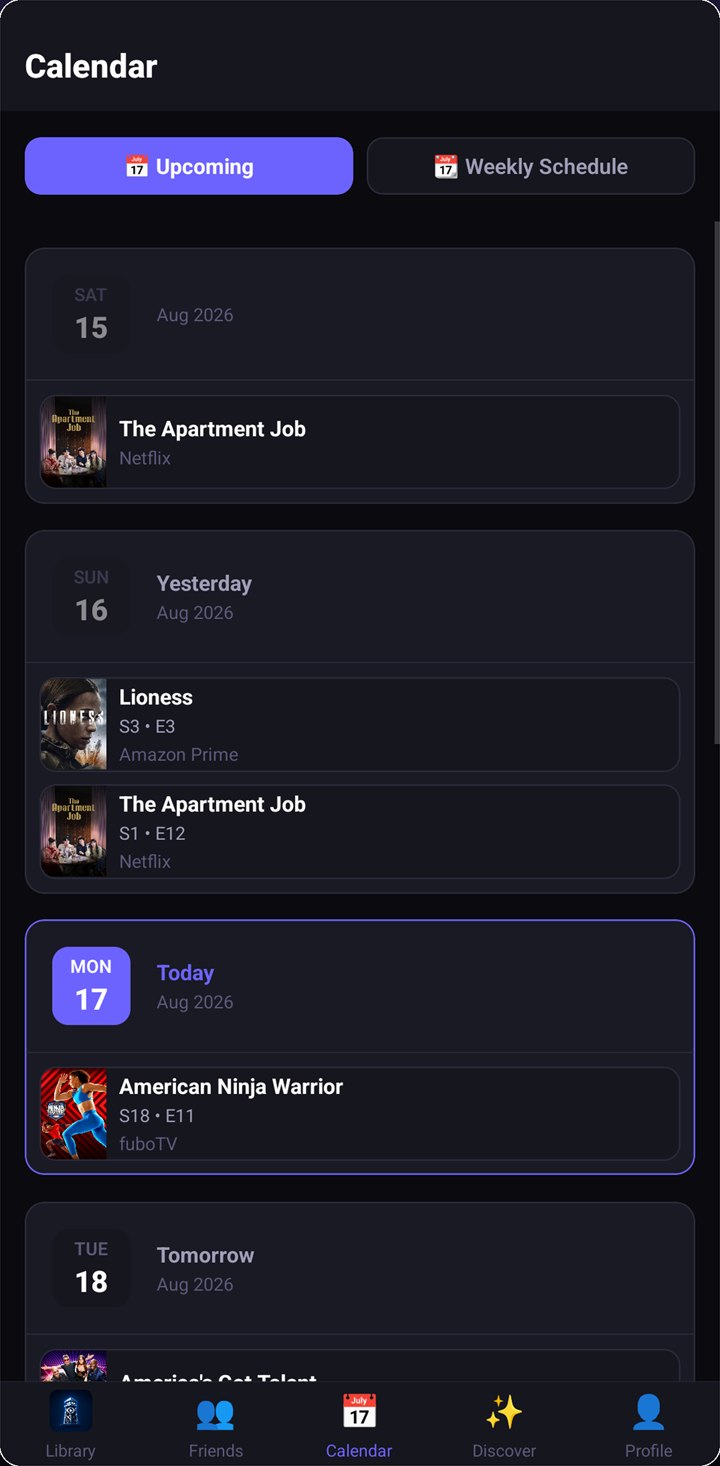
Switch the calendar between a running upcoming list and a weekly schedule laid out day by day.
Log when you actually finished
Record the date you really finished something, not the day you got round to tapping the button — and jump straight to any year to backfill things you watched long ago.
Rate without leaving the list
Star a title straight from its row — no extra screens. Those ratings help sharpen what Discover suggests next.
Getting it in takes one tap
Search for it, follow an actor into everything they've been in, or jump from one film to the rest of its series — then file it without ever leaving the page you're on.
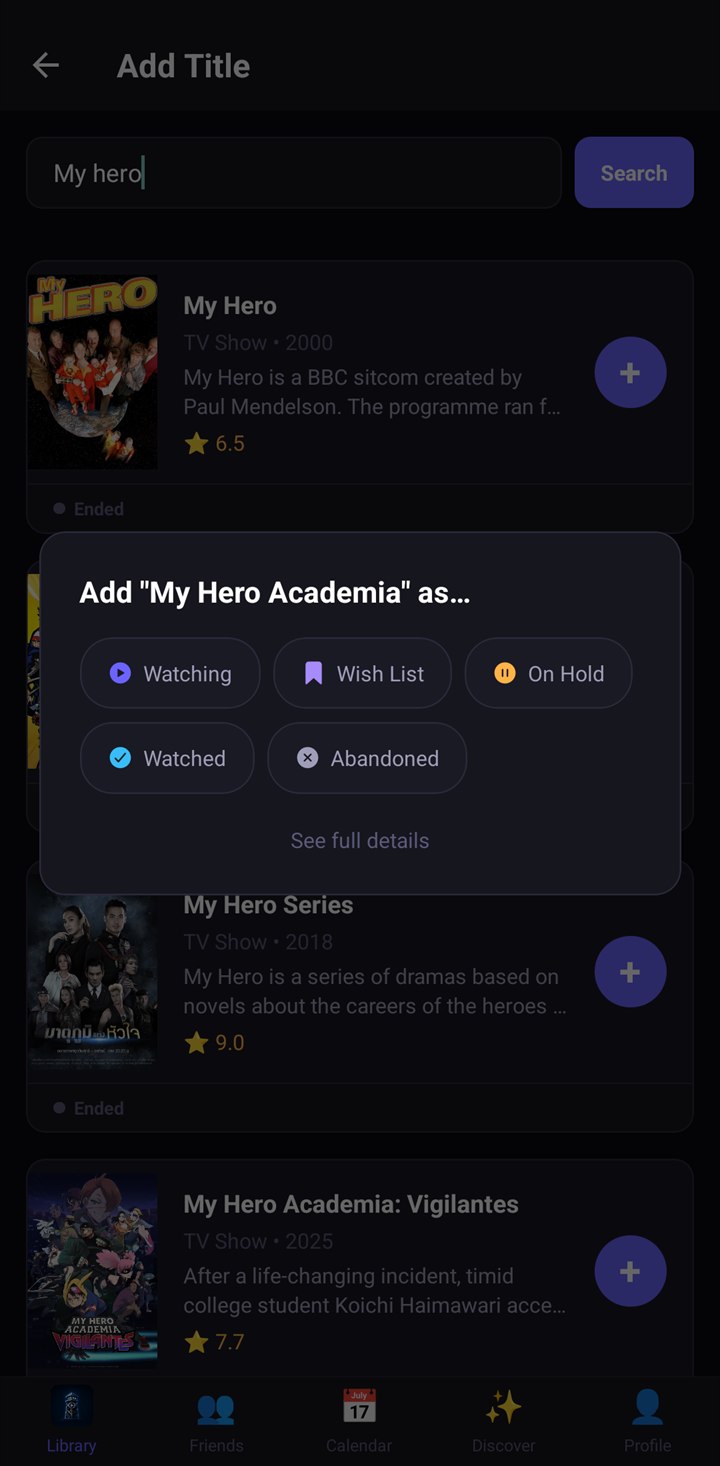
Add straight from search
Results come back with the poster, year, rating, and enough of the synopsis to tell two similarly named shows apart. Tap the plus, pick a status, and keep going — you can add several in a row without leaving the results.
Tap a face, or search a name
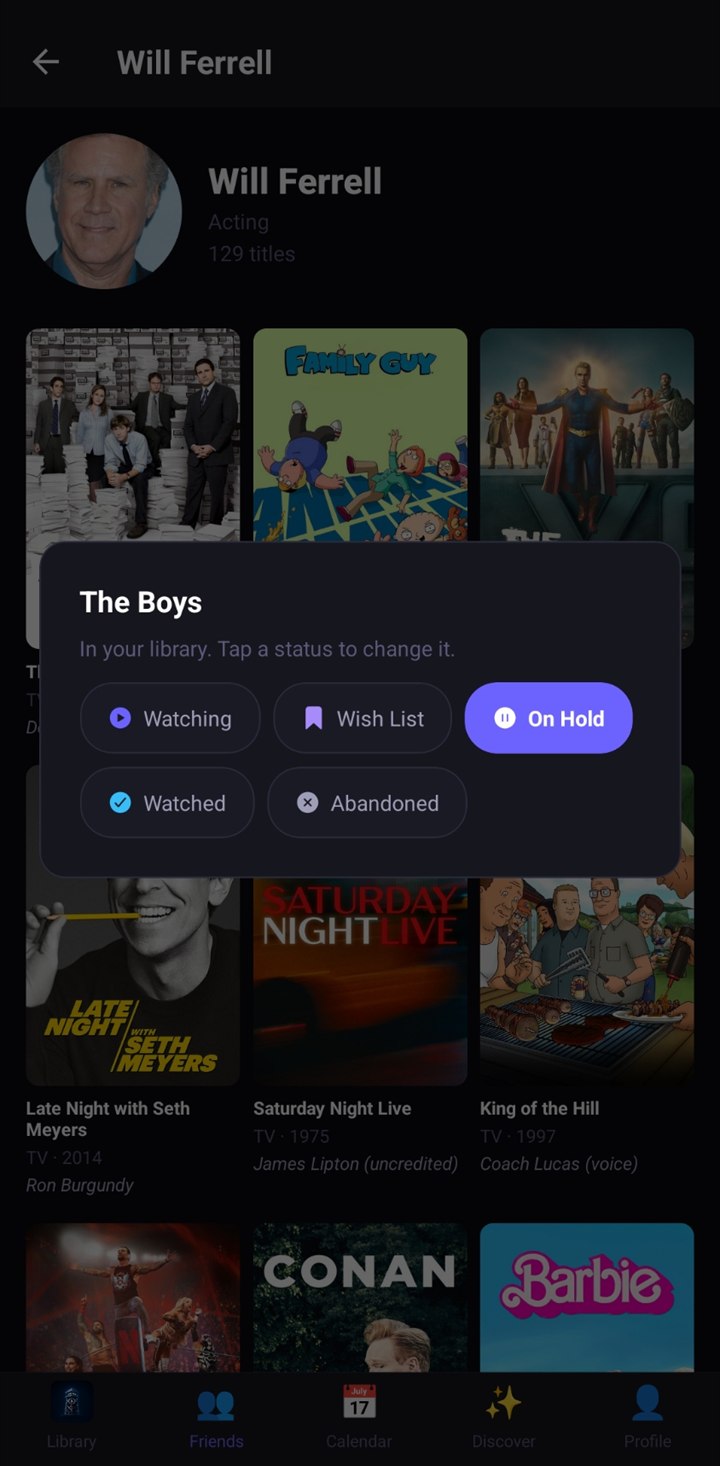
Look up an actor or director, or just tap someone on a show, to open a wall of their work — 129 titles, in Will Ferrell's case — with the character they played under each poster. Add anything you find without leaving the page.
Films in a series stay together
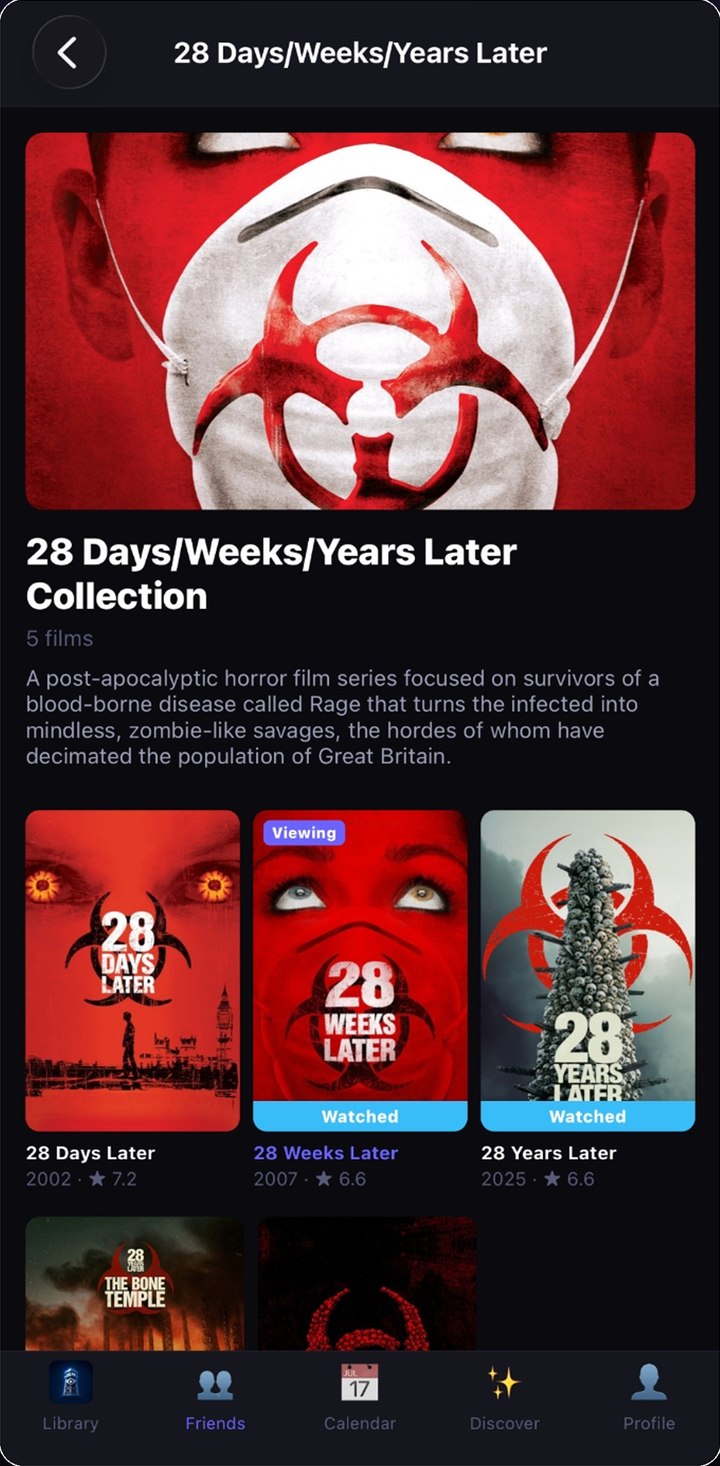
A film that belongs to a franchise links straight through to the rest of it — all five 28 Days Later films on one page — with the ones already in your library marked as watched or in progress.
Long-press anything to file it
Hold a title anywhere it appears — search results, an actor's page, a friend's activity — and drop it straight into watching, wish list, on hold, watched, or abandoned.
Already got it? It'll say so
Anything already in your library tells you which status it's filed under, so you can change it on the spot instead of adding it twice.
Find the next one — and where to watch it
Suggestions built from the library you already have, and never a guess about which service it's on.
Picks that explain themselves
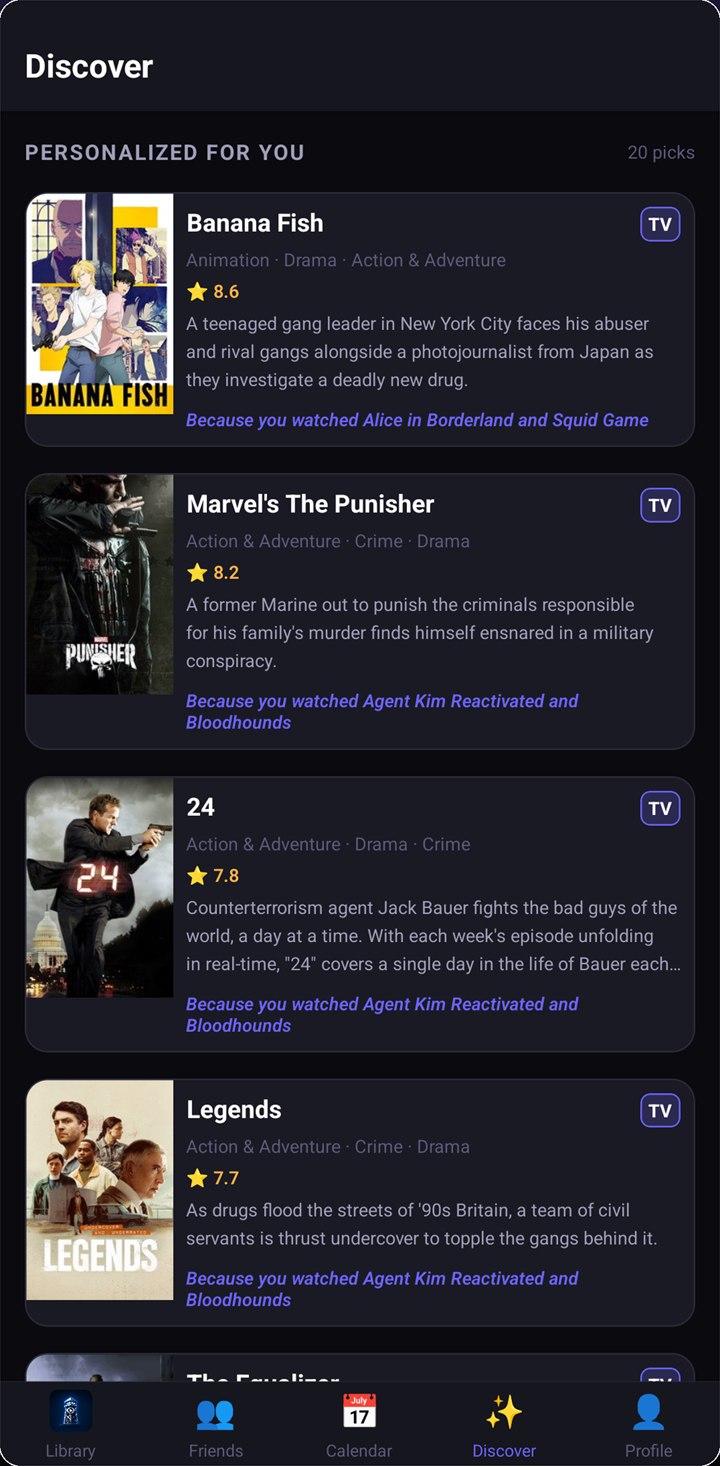
Every suggestion in Discover says why it's there — "because you watched" the specific shows it drew from — alongside the rating, genres, and synopsis.
Where to watch, on every screen
Streaming availability rides along with the show wherever it appears: in your library, in tonight's list, and on every calendar entry.
Tuned to the services you pay for
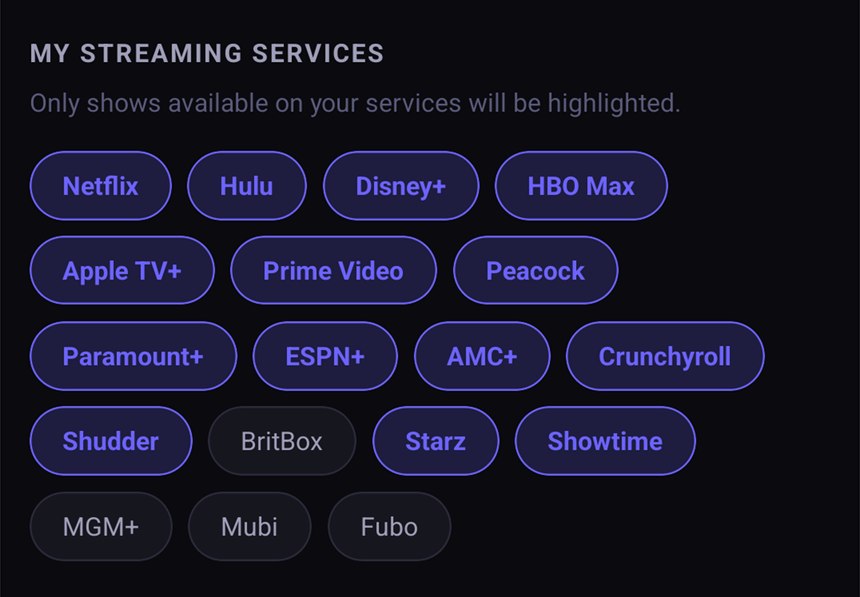
Tell Watchtower which services you subscribe to and it highlights the titles you can actually stream right now.
A heads-up when it matters
Three reminders, each one optional, each one off or on whenever you like.
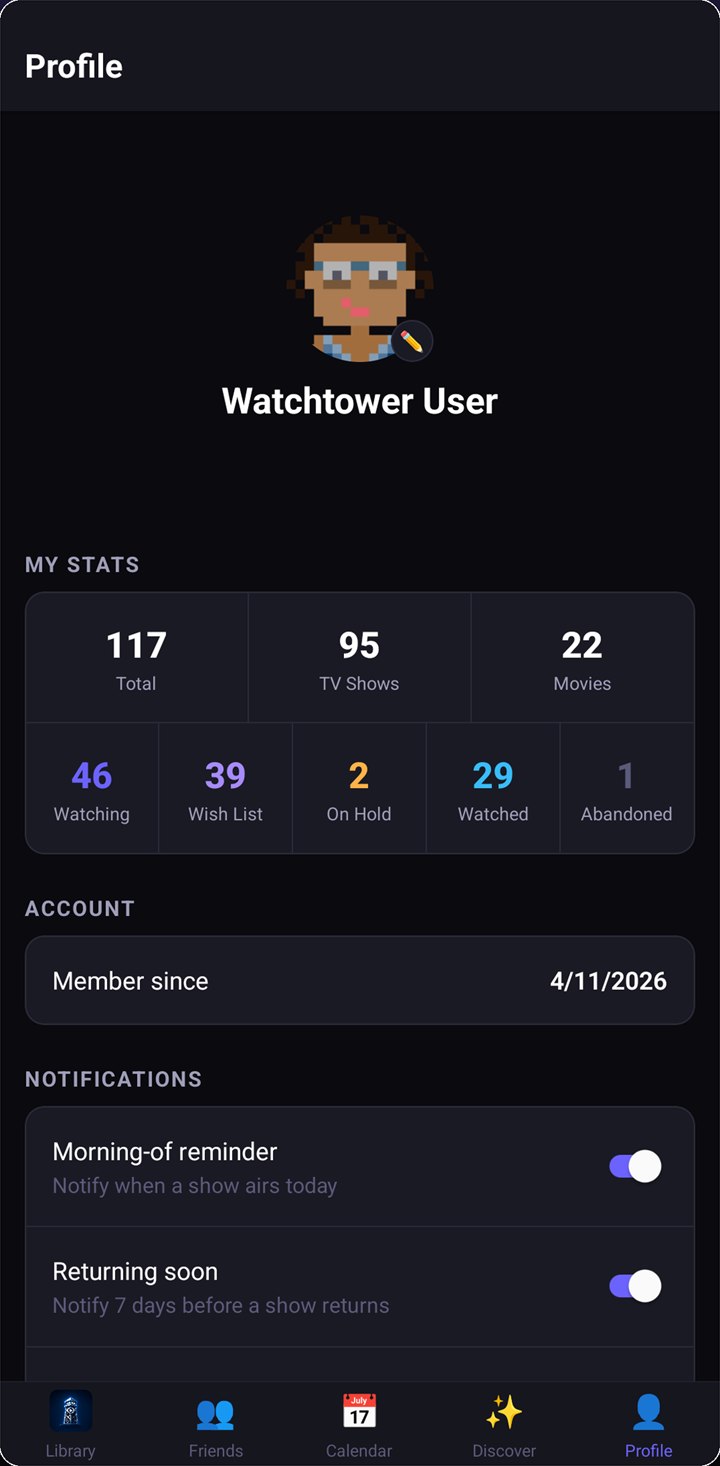
Morning-of reminder
A nudge on the day something you follow airs.
Returning soon
Seven days before a show you follow comes back.
Season premiere — two weeks out
An extra heads-up before a new season starts, so there's time to catch up.
Your watching, by the numbers
Your profile keeps a running count of everything tracked — total titles, shows versus movies, and how many sit in each status.
Bring your library with you
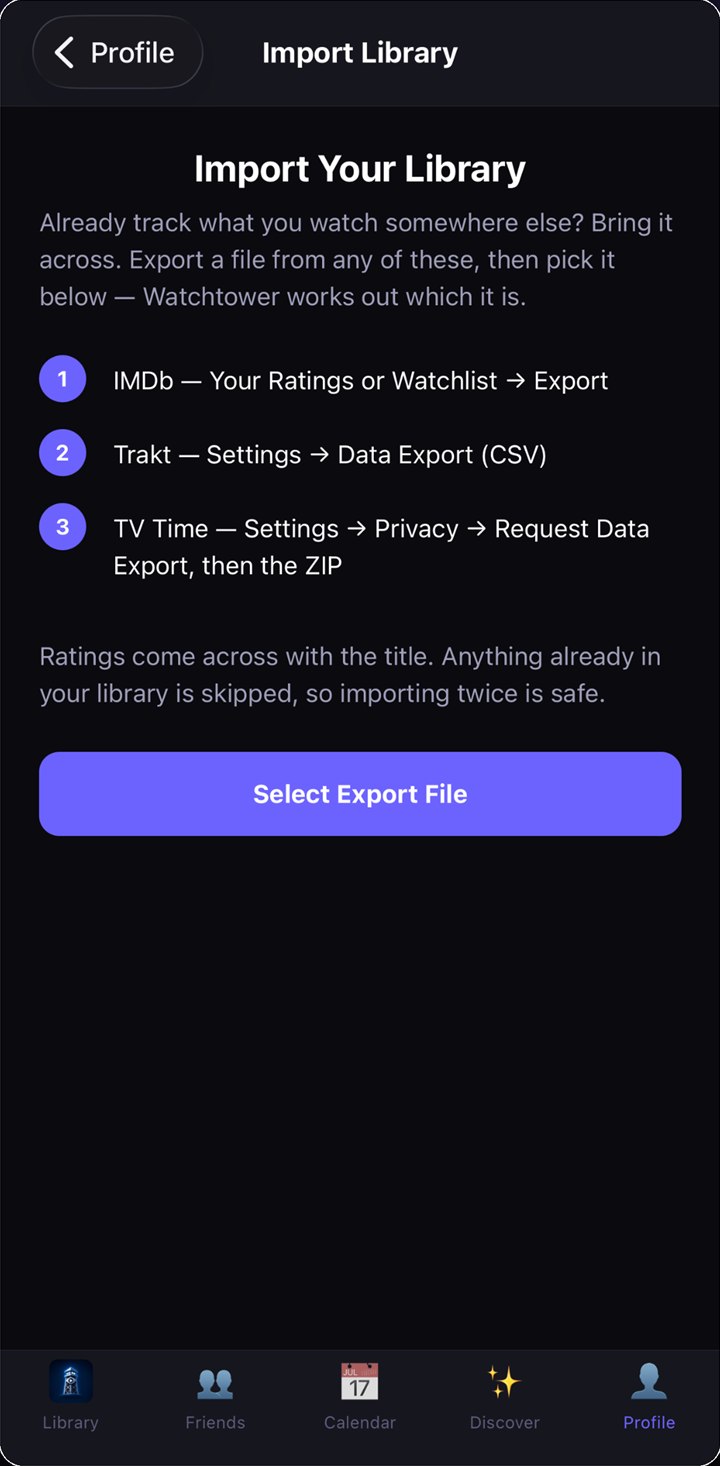
Already tracking somewhere else? Export a file, hand it over, and pick up where you left off instead of starting from nothing.
IMDb, Trakt, or TV Time
Export from any of the three and just pick the file — Watchtower works out which service it came from, so there's no format to choose and nothing to convert.
Your ratings come with you
Scores land back on the right titles. From Trakt, how far you've watched each series comes across too, so you're not restarting anything you've already been through.
Safe to run twice
Anything already in your library is skipped, so a second import tops up what's missing instead of duplicating what's there.
Start tracking tonight
Watchtower is free on iPhone, iPad, and Android.
Watching is better with other people
Most trackers stop at a checklist. Watchtower adds the part that actually makes watching fun — knowing what your friends are into, and having somewhere to say so.
Add the people you actually watch with
Send an invite from the app, or paste in a code someone sent you. Once they're in, their activity shows up in your feed and yours shows up in theirs.
A feed of what everyone's watching
See when a friend rates something, finishes a show, or adds a title to their library — with the poster, the rating, and how long ago it happened.
React and comment
Hit a reaction on anything in the feed, or leave a comment and talk it out. It's the group chat about the show, attached to the show.
Your friends, one tab away
A drawer tucked against the edge of the feed pulls out your friends list — with a running count — so you can check who's on there without losing your place.
See what landed
Your own posts are collected at the top with the reactions they picked up, and the bell tells you when something new has come in.
You decide what's visible
Sharing is per show, and your library marks the private ones at a glance, so you always know what's on show. Anything you'd rather keep back stays off the feed entirely — and you can report a user or a comment if you ever need to.